How to sell online: simple steps to get started with Netcash Shop
June 20, 2025
Netcash Shop vs WooCommerce: Total cost of ownership in SA
November 4, 2025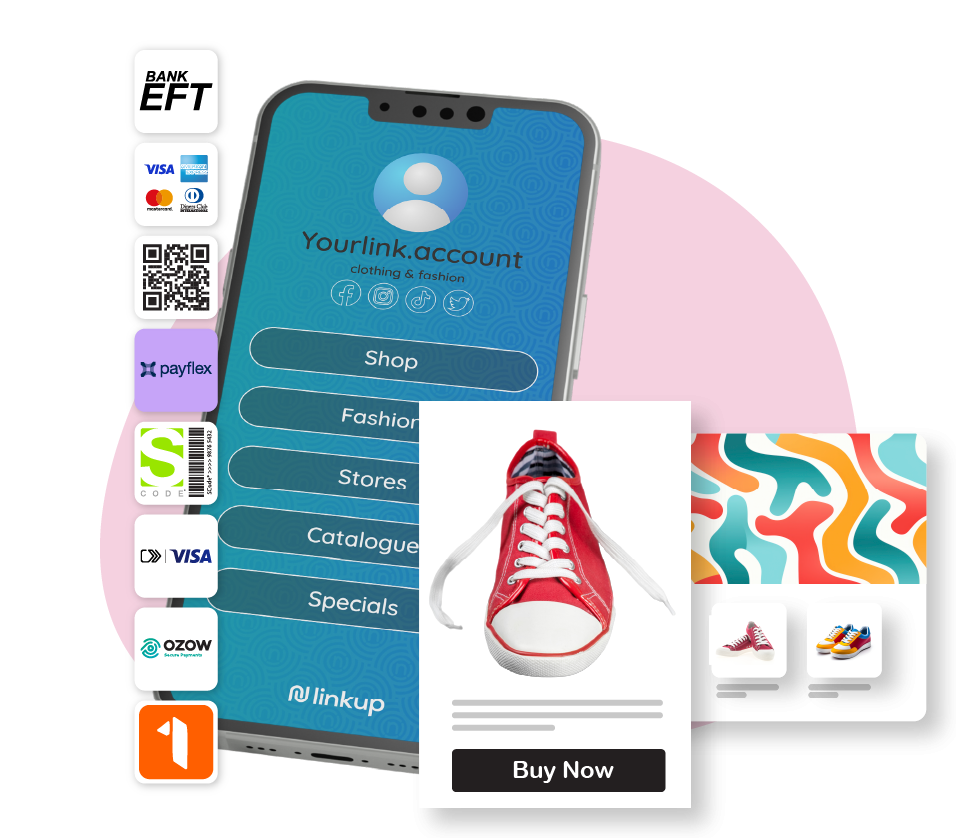
Did you know that there are about 11.7 million eCommerce users in South Africa? That’s nearly 29% of the country’s adult population. And the best part is you don’t need an online shop or a website to start selling. You can sell on social media platforms or with just a link. But how?
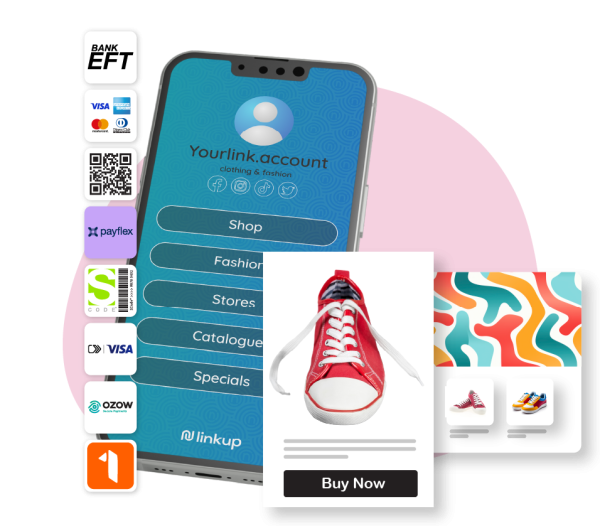
With Netcash Shop’s Buy Now Button and Link-in-Bio tools, you can start selling your products online today with a simple setup. Be it dropshipping or handmade items, you’re all covered.
This quick step-by-step guide shows you all the ropes about selling via social media and email. From setting up your analytics tracking to fulfillment tips to stay on top of sales, it covers it all.
Setup & channel recipes
The goal is simple. You want to give customers a way to buy in just one click, no matter where they find you. The Buy Now Button is suitable for selling anywhere online, whether via email or on someone else’s website, while the Link-in-Bio is generally appropriate for social media.
Here’s a step-by-step breakdown of setting up a Buy Now Button or Link-in-Bio to start selling.
Buy Now Button
This feature allows you to add a product card to any online page, from blog posts to people’s websites, forums, and testimonials. Using an auto-generated code, you can add the Buy Now Button to any platform of your choice by just copying and pasting.
Here’s how to create a Buy Now Button:
- Set up or sign in to your Netcash Shop account.
- Add the products and their details (price, size, and colour options) to your shop.
- Select the product for which you want to generate the Buy Now Button, and the code is automatically created.
- Copy the code and paste it into any page you’d like to sell on.
Link-in-Bio
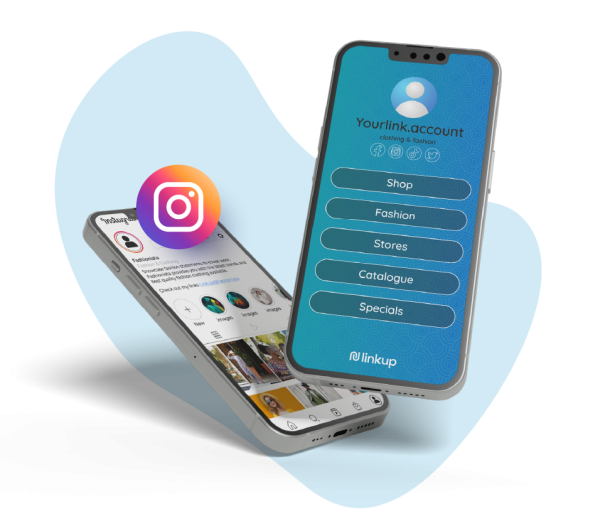
The Link-in-Bio tool is great for micro-influencers or SMEs with fewer followers, helping them start selling products on social media. It’s free, so anyone can use it. It also engages with followers, broadens reach, and boosts sales. All you have to do is send traffic to your link-in-bio page.
You can set up a free link-in-bio tool to suit your brand. From featured products to content spotlights, it allows you to align your sales and marketing strategies with your social content.
Here’s how to create a Link-in-Bio page for your socials:
- Set up or sign in to your Netcash Shop account.
- Create the Link-in-Bio page for free on our Netcash Shop dashboard.
- Customise the page to represent your brand (i.e., font, colours, etc).
- Add and link products from your Netcash Shop on the Link-in-Bio page.
GA4/UTM tracking
Once your links and buttons are live, you’ll want to know what’s selling. UTM tracking through Google Analytics 4 (GA4) gives you that insight, allowing you to tweak content as needed.
UTM tags are short bits of text you add to your URLs. They tell you where the traffic and sales came from, for example, “Review Page” or “WhatsApp”. The snippets of code can also be read by analytics tools such as GA4, which tracks user interactions as events, i.e., “page views”.
How to do it:
- Use a UTM builder to add utm_source and utm_medium to your link.
- Paste this new link into your Buy Now Button or Link-in-Bio.
- Set up Google Analytics to track these clicks and conversions.
With these tracking parameters in place, you can see which channel drives the most traffic and sales. If WhatsApp messages bring in more orders than emails, you can adjust your strategy.
Fulfillment playbook
Selling is only the first step. You need a simple system to manage orders once payments come through. With Netcash Shop, you get an all-in-one solution, from accepting online payments and processing orders to capturing shipping details. Your dashboard simplifies the whole process.
Here’s a simple fulfilment flow to follow when processing orders:
- Confirm the order: Check payment and stock availability.
- Prepare the product: Pack and label it, and get it ready for shipping.
- Notify the customer: Send a message to the customer with delivery details.
- Update your records: Mark the order as shipped.
Customer support tips
Online sales work best when communication is clear, as the customer is buying a product they cannot physically see or touch. It’s your job to make them feel secure about their purchase. From answering questions to giving more information about the product, you have to stay on top of everything. Customers want to know that you’re only a text or email away.
Here are a few tips to keep customers happy:
- Use a WhatsApp message or an email to confirm every order.
- Reply quickly to queries, especially on social media.
- Keep FAQs handy for common questions like shipping times, return policies, or payment methods.
- Set up autoresponders outside business hours.
Even small touches like “Thanks for your order” messages make a difference.
Frequently asked questions
How do I add buttons and link-in-bios?
Log in to your Netcash Shop dashboard. Go to the Buy Now Button or Link-in-Bio. Create your button or link and copy the code or URL. Paste it onto your landing pages, WhatsApp Business catalogue, email, or social media platform bio. It only takes a few minutes to start selling online.
How do I reconcile?
All sales made through your buttons and links are recorded in your Netcash Shop dashboard. You can view transactions, download sales reports, and match them with your bank settlements. This helps keep your accounts accurate and trackable for sales disputes should they come up.
How do I track sales?
Use UTM tags on your links and connect GA4 for tracking. Netcash Shop also shows you sales data directly in your dashboard. This helps you see which channels bring in the most orders.
Start selling anywhere today
Selling online in South Africa doesn’t have to be complicated. With Buy Now Buttons and Link-in-Bio tools, you can turn your social profiles, emails, or even forums into sales channels.
Set up your buttons, track your sales, and build a seamless fulfilment system with Netcash Shop. Once it’s running, you can focus on growing your business, not managing complex tech.

Author:
Theresa Scott
eCommerce Support Consultant
Stay in Touch


Theresa Scott is a Technical Support Consultant at Netcash, dedicated to empowering eCommerce businesses through intentional problem-solving and streamlined digital solutions. With a background in relationship management and content strategy, Theresa brings a sharp focus to optimizing support experiences for South African startups and SMEs navigating the online space.

Subscribe to our mailing list to learn about our new features and marketing tips & tricks.