Online Store Returns Policy in South Africa: What You Must Know
September 4, 2026
How to get your first 100 online sales in South Africa
September 18, 2026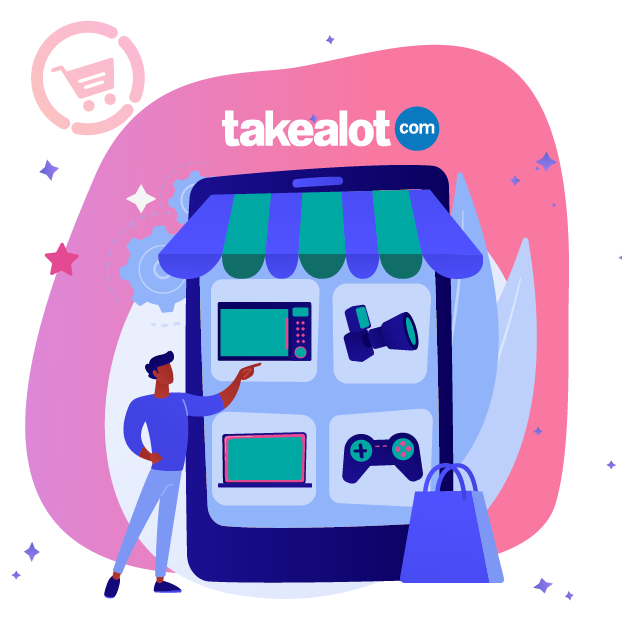
Imagine this: a bustling marketplace with over 3 million online shoppers who are ready to buy from you. This tech-savvy group of potential customers is what you get when you become a seller on Takealot. You can leverage this built-in audience to go from launch to sale in no time.
Takealot is a powerhouse in the South African eCommerce market, and its reach continues to grow. In addition to its massive customer base, the platform offers business owners a Seller Portal to manage prices, orders, and stock, as well as warehousing for delivery and returns.
In this step-by-step guide, you will learn how to sell on Takealot, from registration and product listing to order fulfilment. Furthermore, it explains the fees associated with selling on Takealot. Finally, the guide compares whether it’s better to sell through Takealot or your own online shop.
What is the Takealot Marketplace?
The Takealot Marketplace is a platform feature that allows third-party sellers and businesses to list and sell their products directly to millions of online shoppers in South Africa. Beyond connecting buyers and sellers, the marketplace offers fulfilment options that enable faster delivery and shared infrastructure, such as payment systems, that ensure secure transfers.
If you’re a small business thinking about selling products online, there are many benefits of registering as a seller on the Takealot Marketplace. These include, but are not limited to:
- Access to existing customer traffic
- Established eCommerce infrastructure
- Organic product discovery
- Low barrier to entry into online selling
Note: Becoming a seller requires an approved account and meeting Takealot’s requirements.
How to become a Takealot seller in South Africa
Getting started involves more than simply creating an account. Takealot’s official website currently breaks down the seller application and registration journey into the following stages:
1. Apply to sell on Takealot and wait for approval
Submit a Takealot seller application providing details about your business and products needed to assess eligibility. Takealot will review your application and reply within 10 business days.
2. Complete your registration on the Takealot Seller Portal
Once approved, complete your Takealot Seller account by providing the required information and paperwork, including contact details, ID or business registration number, and VAT status. Make sure your business details and supporting documentation are accurate and up to date.
3. Complete onboarding
Take your time working through Takealot’s comprehensive onboarding to learn how the marketplace works, its processes, requirements, and fee structure. This is also where you will choose your stock model, which determines how you manage your inventory and fulfilment.
4. Get your products listed and live
Takealot has a massive catalogue, so before creating a new product listing, search the barcode or product name in the Seller Portal. If you are selling unique or branded items, download the product loadsheet template from the seller’s portal, fill in the required fields, and upload it.
Note: Product listing approval can take between one and several days. Items that don’t meet the requirements will be rejected, with feedback on why they are turned down for resubmission.
5. Manage and grow your sales
Use the Takealot Seller Portal to manage stock, pricing, and product selection. Once you’re selling, you can also use promotions and performance reports to identify opportunities to grow.
Listing your products on Takealot: Requirements and tips
Listing your products on Takealot is an important step, so it requires preparation and attention when filling in the details. Accurate information, competitive pricing, and reliable availability all contribute significantly to a customer choosing to buy from you instead of a competitor.
Here’s what you should include:
- Product title: Clear, descriptive and optimised to match shoppers’ search intent
- Product description: Explain key features, specifications, use cases and what is included
- Product images: Use clear, high-quality images that accurately represent the product
- Pricing: Consider Takealot fees, fulfilment costs, VAT where applicable and your desired eCommerce profit margin before setting a price
- Stock availability: Keep inventory information accurate to avoid cancelled orders or poor customer experiences
- Product categorisation: Select the correct category and provide required product attributes
- Product variations: Where relevant, clearly differentiate sizes, colours or other variants
Note: If the products you want to sell are already available on the Takealot catalogue, make sure to optimise your listings with titles, specifications, and product descriptions that sell.
How much does it cost to sell on Takealot?
To sell on Takealot, you will be required to pay monthly and per-sale fees.
Takealot seller fees include:
- Fixed monthly fee: Monthly subscription fee of R400 (excluding VAT) per seller account.
- Success fees (Commission): These cover transaction costs, customer support, and overall platform support. They are calculated as a percentage of the product’s selling price plus VAT, excluding shipping costs. Percentages vary across product categories, ranging from 4% to 15%.
- Fulfilment fees (Logistics): These are fees charged per item shipped from a Takealot warehouse. Fulfilment fees are calculated based on each product’s size and weight.
- Storage fees: Takealot offers free storage for fast-moving stock that sells within 35 days. Items requiring storage above the threshold are charged based on their cubic-centimetre size. However, storage rules and thresholds are subject to change. Check the fees page for updates.
Tip: Curious how much it costs to make a sale on Takealot? Use the Takealot Fees Calculator for an estimate, but note that it does not include subscription and storage fees, among others.
Pricing strategy for the marketplace
Pricing on Takealot needs to account for more than your product cost. Before setting a price, factor in Takealot’s fees, fulfilment or delivery costs, VAT, and your desired profit margin.
Compare your pricing with similar products on the marketplace, but avoid competing solely on price. A slightly higher price may still work if your product offers stronger value, quality, or convenience. Pricing is a crucial factor that determines whether a seller (or product) wins the Takealot Buy Box. This is the “Add to Cart” feature where the bulk of marketplace sales go.
Regularly review your prices as your costs, competitor pricing, and marketplace fees change.
Takealot vs your own online store: Which one is the best for you?
Takealot gives you access to customers who are already looking to shop online, but selling through a marketplace also means working within its fees, rules, and customer experience.
Selling via a website gives you greater control over your branding, customer journey, product presentation, and sales channels. You are responsible for attracting website visitors, but you can also build direct relationships with your customers and create a store around your brand.
Consider Takealot if you:
- Want access to an established eCommerce marketplace
- Are testing demand for your products
- Prefer not to build an audience from scratch
- Have products that can compete effectively on the marketplace
Consider your own online store if you:
- Want greater control over your brand and customer experience
- Want to create a direct sales channel
- Want more control over how you market and sell your products
- Plan to build a long-term ecommerce brand
Tip: Not sure which option is right for you? Read our “Online Store vs Marketplace” guide.

FAQs about how to sell products on Takealot as an online retailer
How do I register as a Takealot Marketplace seller?
Start by submitting an application through Takealot’s seller platform with information about your business and products. If approved, you’ll complete registration, provide the required documentation, and go through the onboarding process before listing and selling your products.
What commission does Takealot charge sellers?
Takealot charges sellers fees based on factors such as the product category and applicable selling terms. Additional fulfilment or service costs may also apply. Check Takealot’s current fee structure before pricing products to ensure you understand your potential costs and margins.
Should I sell on Takealot or build my own online store?
Takealot can help you reach an established online audience, while your own store gives you greater control over branding, customer experience, and sales channels. For many small businesses, using both can help diversify their online sales.
What products sell best on Takealot?
There are no guaranteed best-selling products. Demand, competition, pricing, quality, and margins all influence performance. Categories such as electronics, tech, home, and lifestyle consistently perform well. Research and compare similar products before deciding what to sell.
Start selling on Takealot today and grow with Netcash Shop
Takealot can be a useful way to introduce your products to online shoppers, but it doesn’t have to be your only sales channel. As your business grows, having your own online store can give you greater control over your brand and customer experience.

Author:
Theresa Scott
eCommerce Support Consultant
Stay in Touch


Theresa Scott is a Technical Support Consultant at Netcash, dedicated to empowering eCommerce businesses through intentional problem-solving and streamlined digital solutions. With a background in relationship management and content strategy, Theresa brings a sharp focus to optimizing support experiences for South African startups and SMEs navigating the online space.

Subscribe to our mailing list to learn about our new features and marketing tips & tricks.