
Customer Notifications
April 7, 2021Editing mail notifications
April 7, 2021You can set up an automated message when your stock reaches a certain limit. This feature is helpful for items that require a lead time for sourcing or production.
Inventory tracking is available for the customers on paid plans. UPGRADE
Enabling Low Stock notifications
To get a message about low stock enable the Low Stock notifications:
From your Netcash Shop admin, go to Catalog > Products.
- Open the product you want to edit.
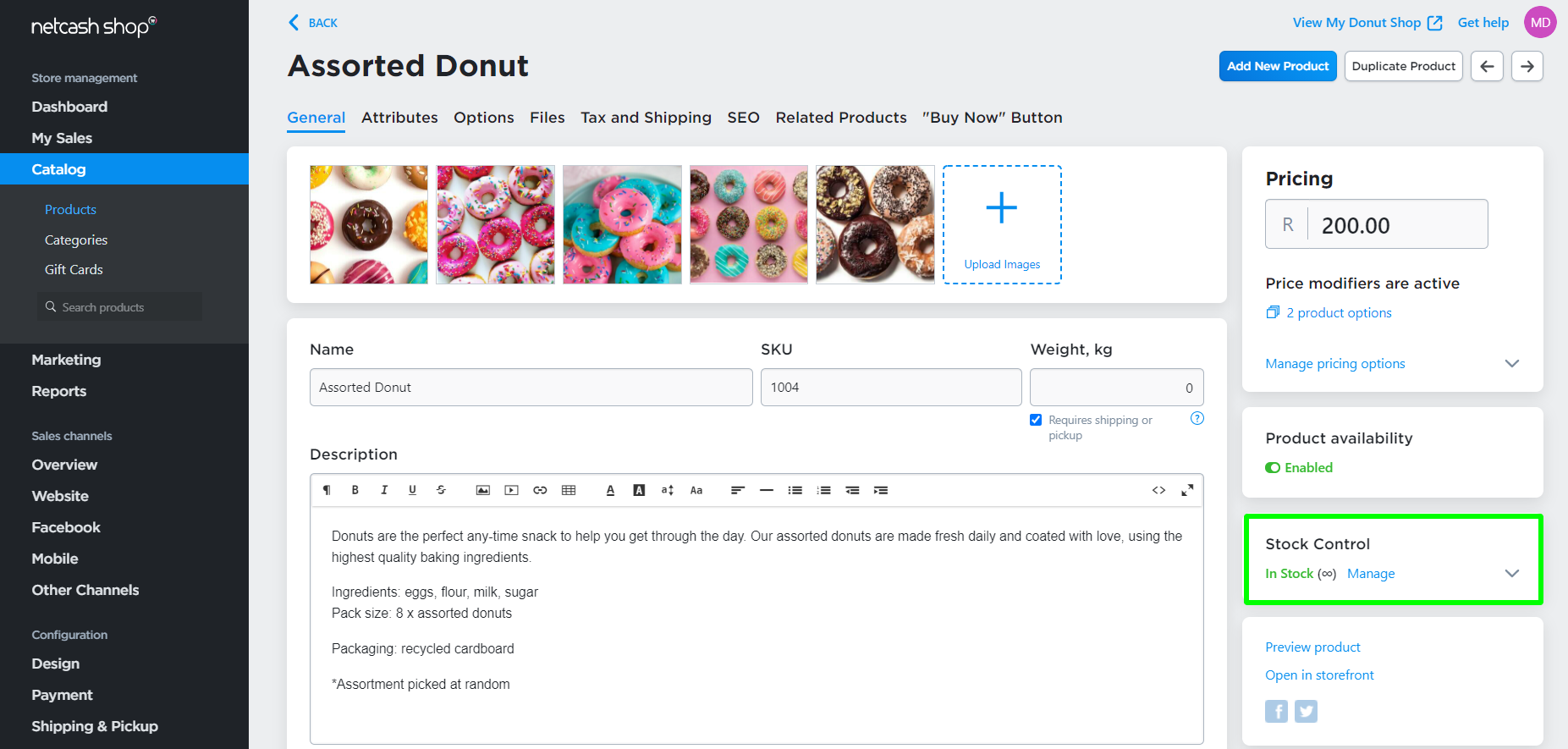
- Scroll to the Stock Control block.
- Click Manage:
- Enter the number of items that should be in stock when you want to receive the Low Stock note:
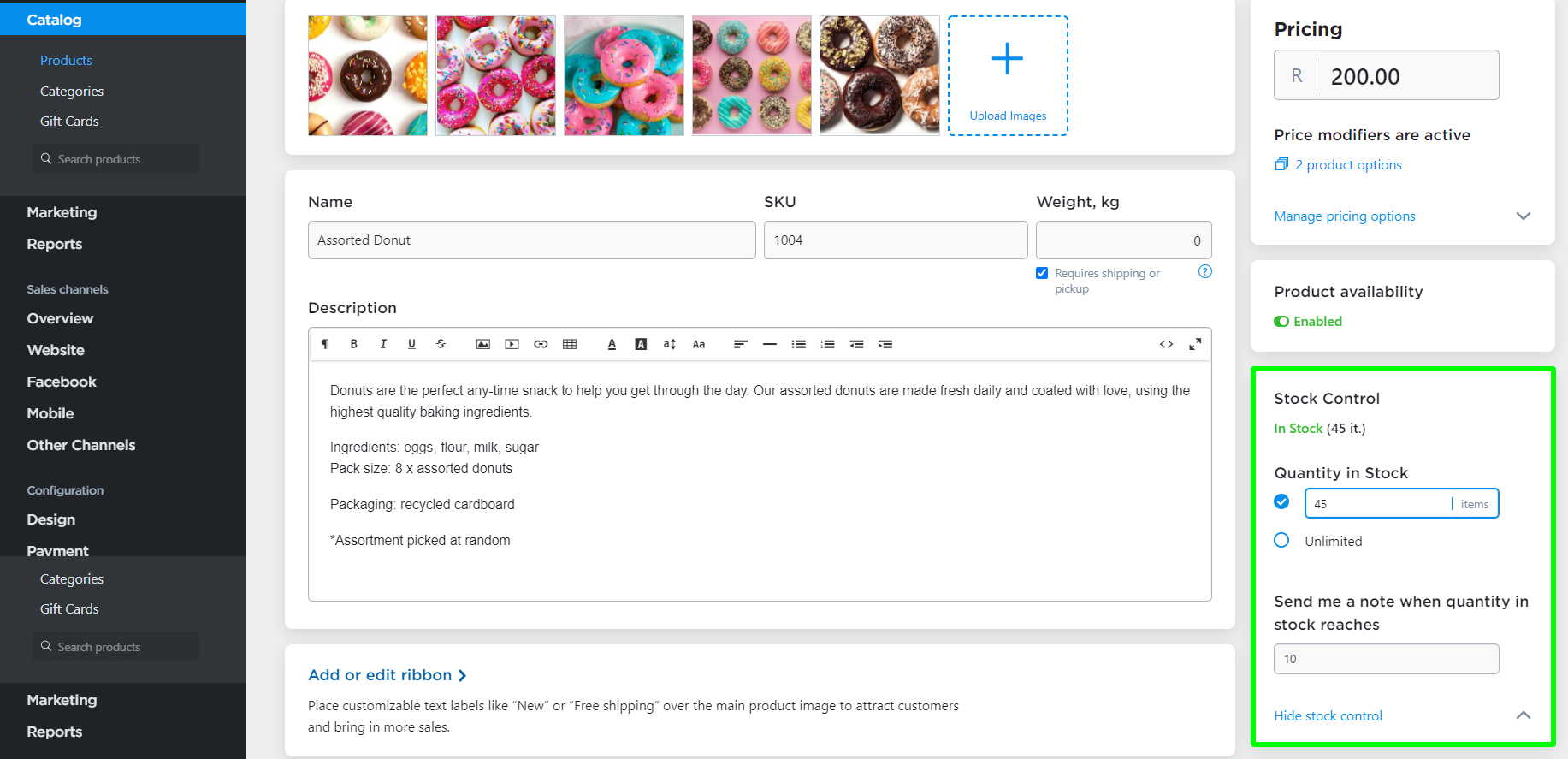
Here, the store owner will receive a low stock notification when there are ten items left.
Editing the Low Stock message template
To edit the Low Stock notifications template:
- From your Netcash Shop admin, go to Settings > Mail.
- Scroll to ADMIN NOTIFICATIONS.
- Click Edit next to the Low Stock Notification:

- Edit the HTML code of the template.